 USD
USD TZS
TZS UGX
UGX ZAR
ZARSoftaculous is an auto-installer in cPanel that allows you to install popular web applications like WordPress, Joomla, Laravel, Magento, and more in just a few clicks—no technical skills required.
What Can You Do with Softaculous?
-
Install CMS platforms (WordPress, Joomla, Drupal)
-
Install eCommerce apps (Magento, PrestaShop)
-
Install frameworks (Laravel)
-
Manage installed applications
-
Backup and restore websites
-
Clone and upgrade scripts
Step 1: Log In to cPanel
Open:
Log in using your cPanel username and password.
Step 2: Open Softaculous

-
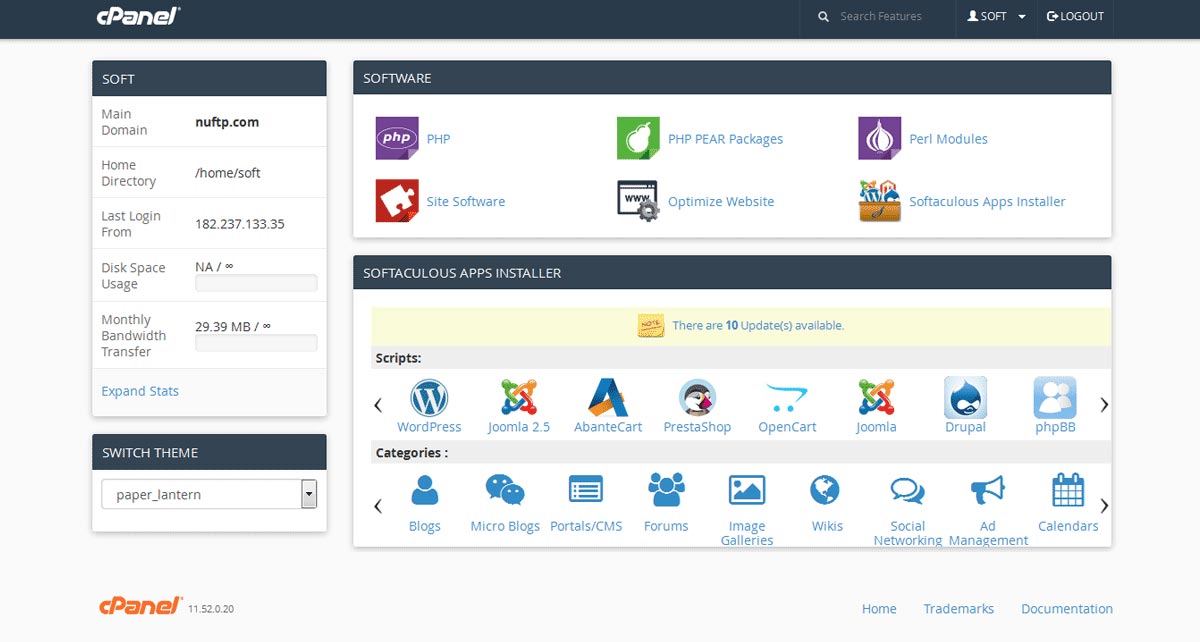
In cPanel, go to Software
-
Click Softaculous Apps Installer
Step 3: Install an Application (Example: WordPress)
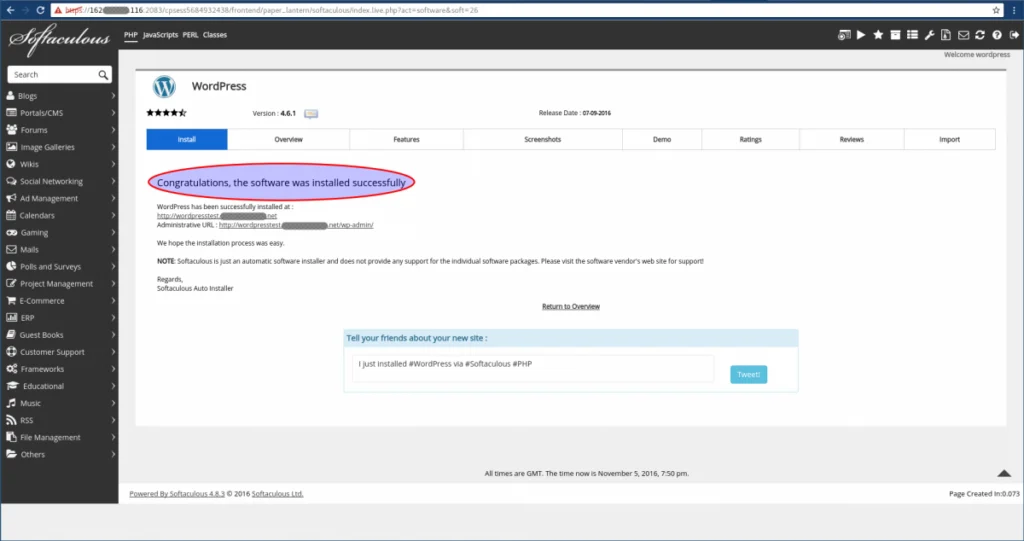
-
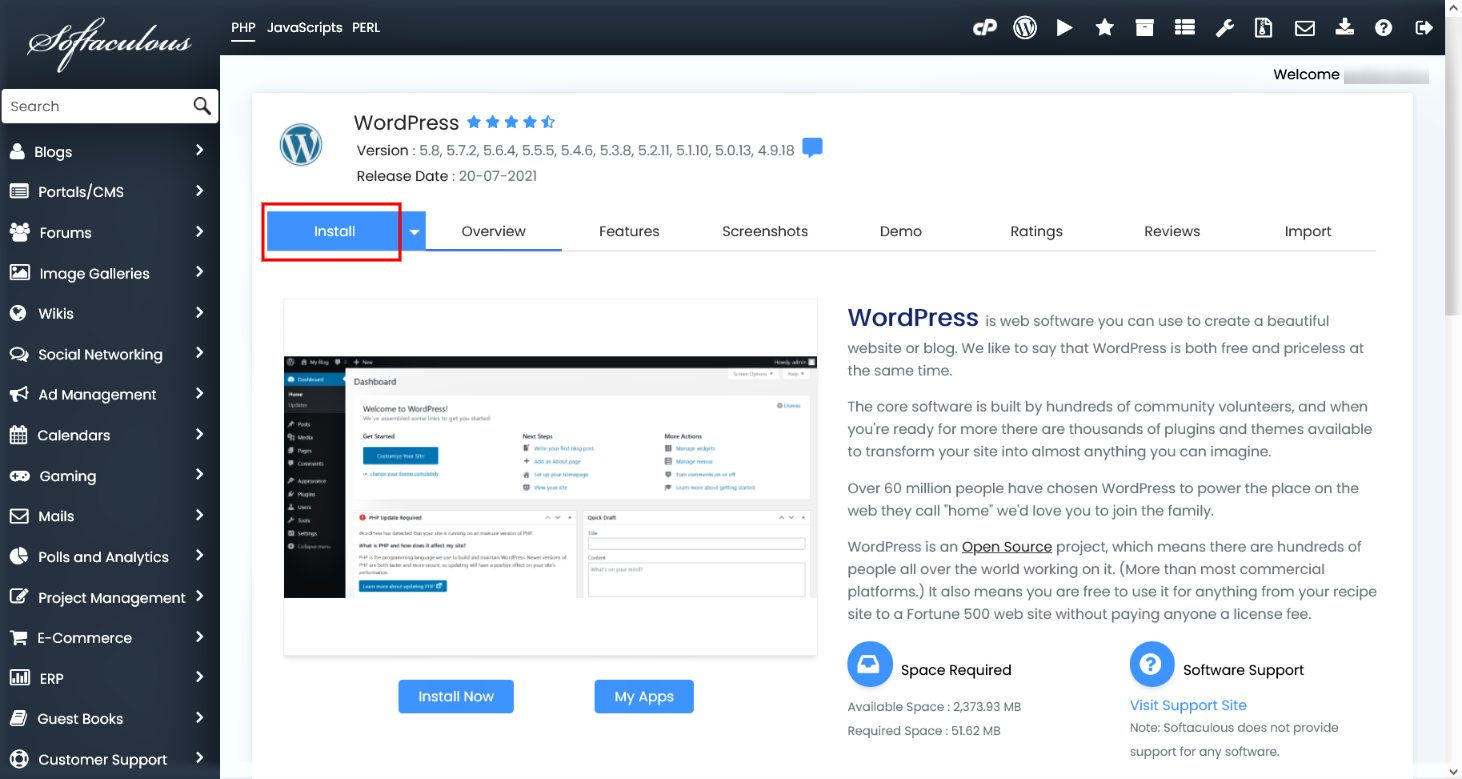
Click WordPress
-
Click Install Now
-
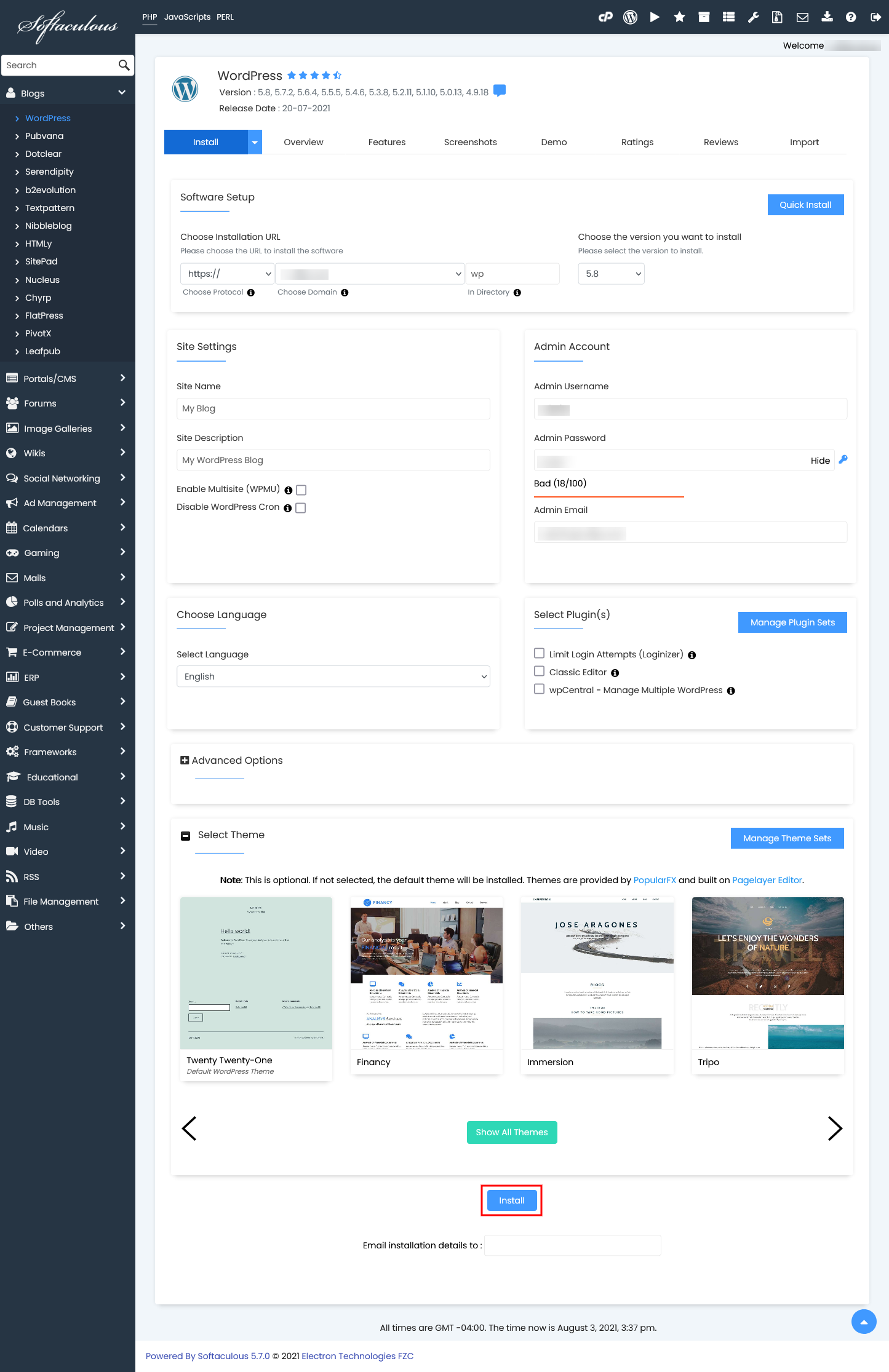
Configure installation details:
-
Protocol:
https:// -
Domain: select your domain
-
Directory: leave empty for main domain
-
Admin Username & Password
-
Admin Email
-
-
Click Install
✅ Installation completes in seconds.
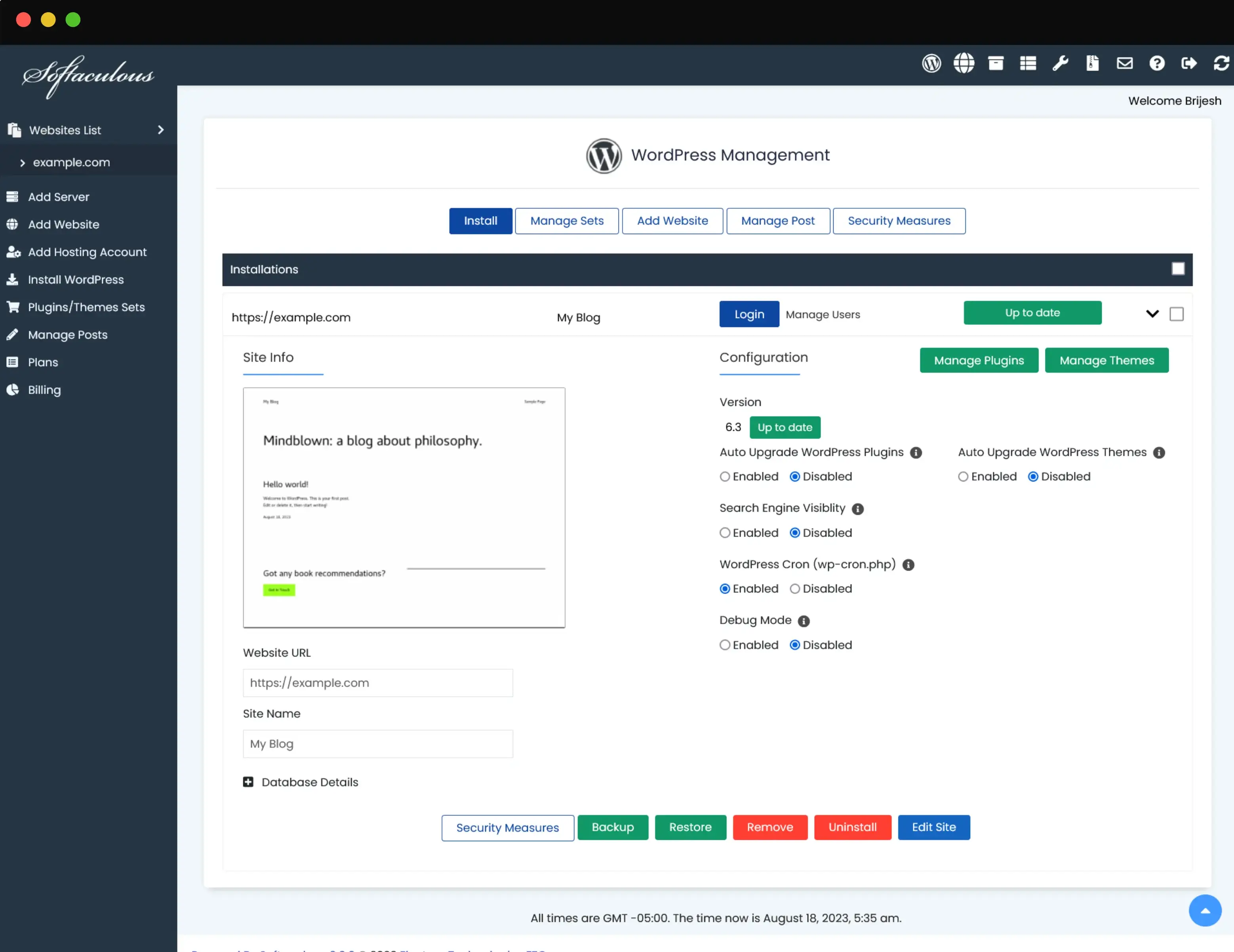
Step 4: Manage Installed Applications
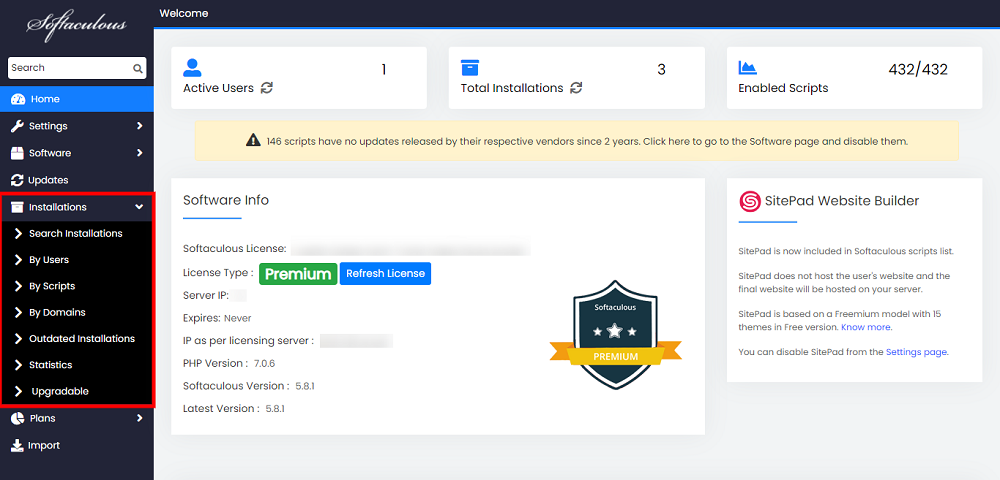
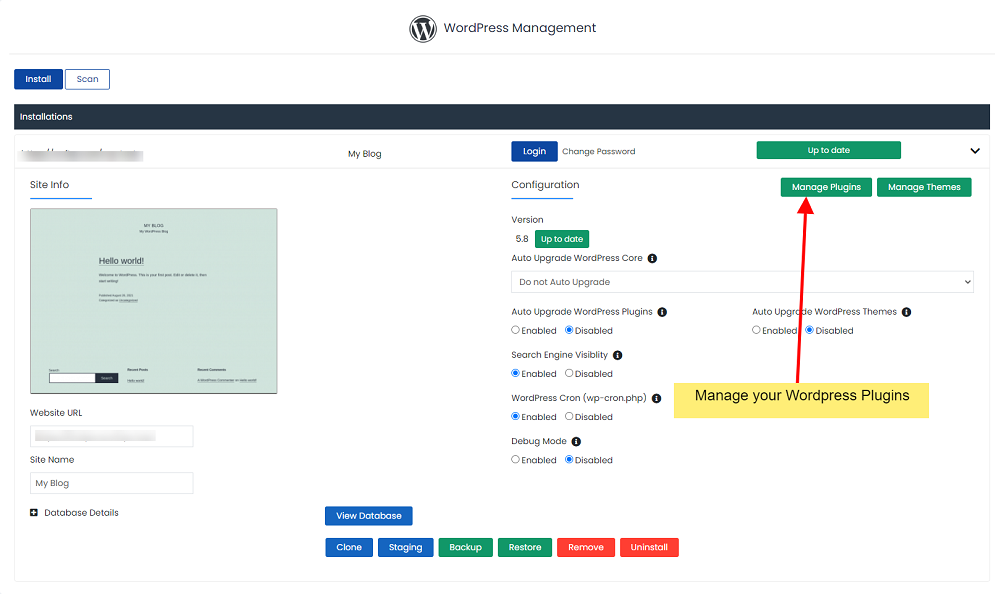
Go to All Installations to:
-
Login to admin panel
-
Upgrade application
-
Backup website
-
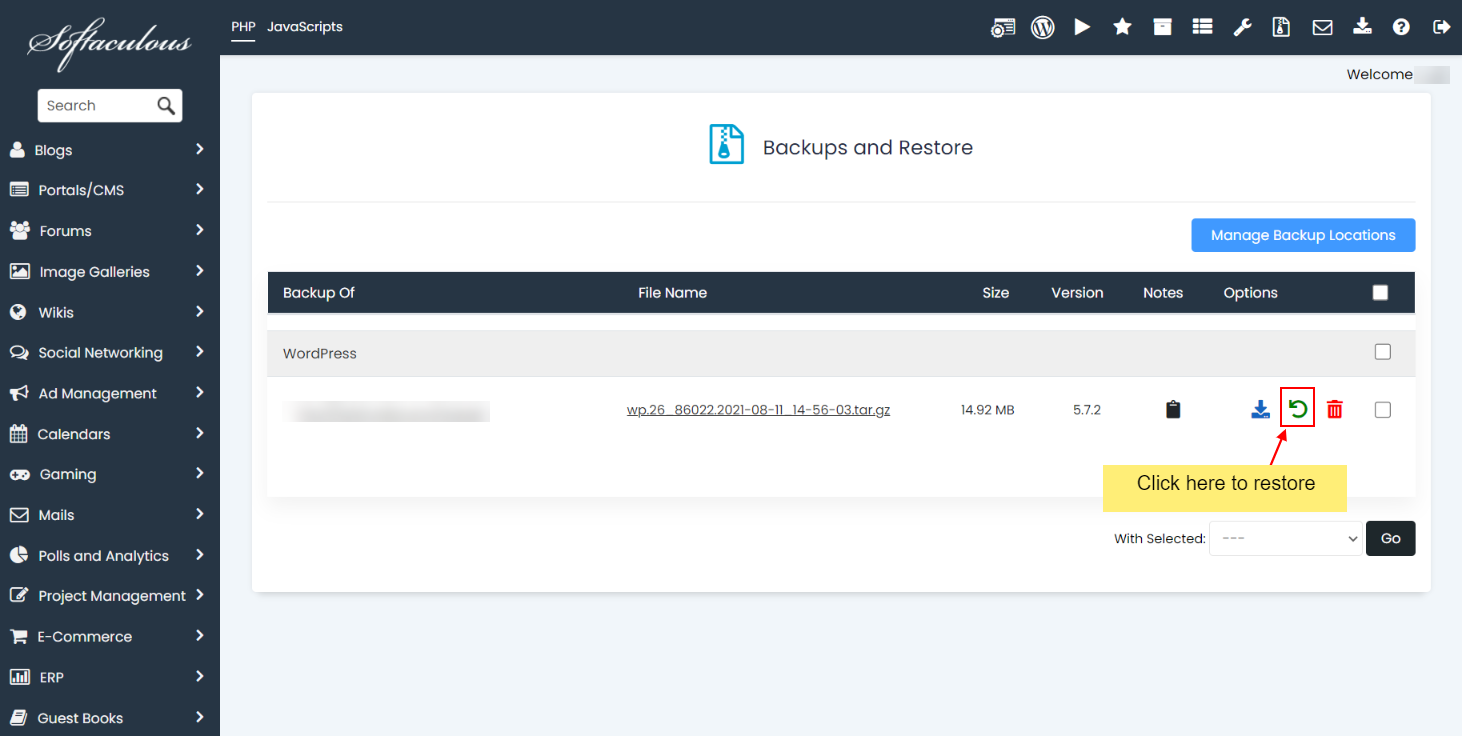
Restore from backup
-
Clone website
-
Delete installation
Step 5: Backup & Restore Using Softaculous
Create a Backup
-
Open All Installations
-
Click Backup
-
Wait for completion
Restore a Backup
-
Click Restore
-
Select a backup
-
Confirm restore
Step 6: Clone a Website
Cloning is useful for testing or staging.
-
Click Clone
-
Choose destination domain or folder
-
Click Clone Installation
Common Softaculous Issues & Fixes
Softaculous Not Showing in cPanel
-
Contact hosting provider
-
Ensure Softaculous is enabled in WHM
Installation Failed
-
Check disk space
-
Confirm correct domain selection
-
Verify database permissions
Website Shows “Not Secure”
-
Ensure AutoSSL is enabled
-
Use HTTPS protocol during install
Best Practices
✅ Always use HTTPS
✅ Keep applications updated
✅ Enable backups
✅ Use strong admin passwords
✅ Remove unused installations
Conclusion
Softaculous makes website installation and management easy for beginners and professionals alike. With just a few clicks, you can install, manage, backup, and clone websites directly from cPanel.
