 KES
KES USD
USD UGX
UGX ZAR
ZARAn SSL certificate secures communication between your website and its visitors by enabling HTTPS. Proper SSL configuration improves security, trust, SEO, and performance. This article outlines the best practices to follow when using SSL on any domain.

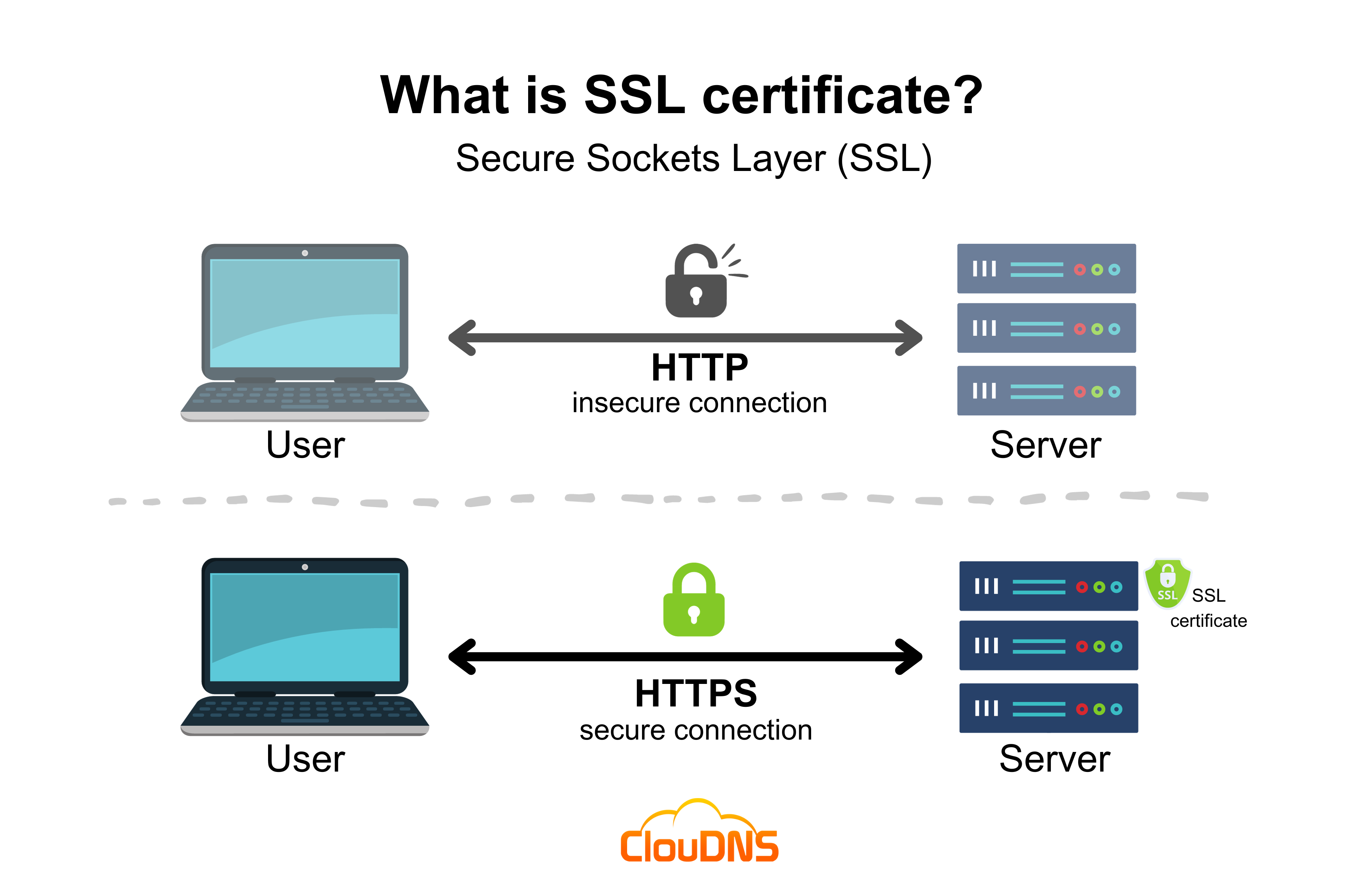
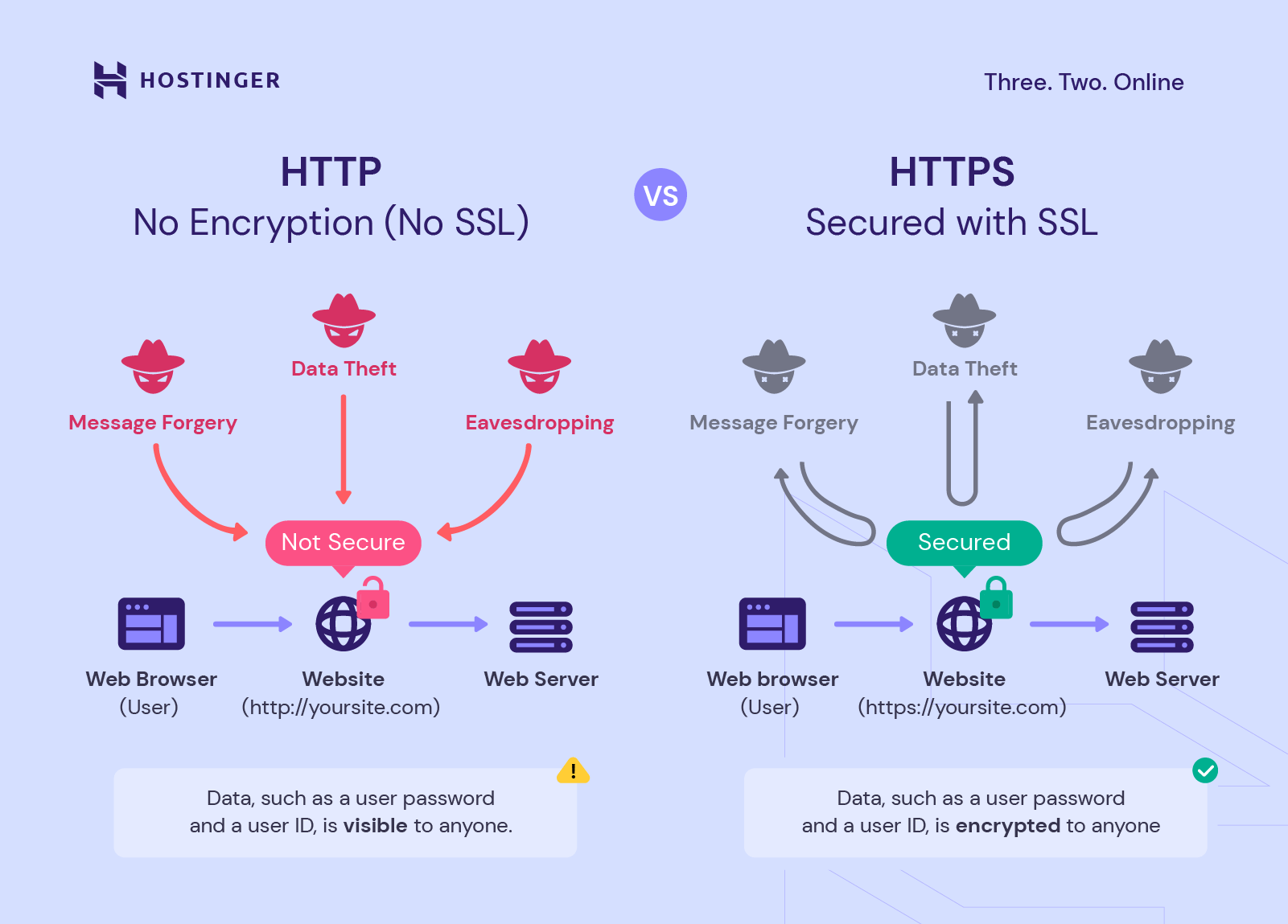
1. Always Use HTTPS (Force SSL)
Ensure all traffic uses HTTPS.
Why it matters
-
Prevents data interception
-
Avoids “Not Secure” browser warnings
-
Required for modern browsers and features
How
-
Redirect all HTTP traffic to HTTPS
-
Update website URLs to use
https://
2. Use a Trusted SSL Certificate
Use SSL from a trusted Certificate Authority (CA).
Recommended
-
Free SSL (AutoSSL / Let’s Encrypt) for most websites
-
Paid SSL (OV/EV) only if business verification is required
???? For SEO and security, free SSL is sufficient.
3. Enable Auto-Renewal
SSL certificates expire.
Best practice
-
Use AutoSSL or automatic renewal
-
Monitor expiration dates
-
Avoid manual renewals where possible
Expired SSL can break your website and emails.
4. Fix Mixed Content Issues
Mixed content occurs when:
-
HTTPS page loads HTTP images, scripts, or CSS
Why it matters
-
Breaks padlock icon
-
Causes browser security warnings
-
Reduces trust
How
-
Use HTTPS URLs for all assets
-
Update hardcoded HTTP links
5. Secure All Subdomains
SSL should cover:
-
www.yourdomain.com -
mail.yourdomain.com -
blog.yourdomain.com -
shop.yourdomain.com
Best practice
-
Use Wildcard SSL or AutoSSL covering subdomains
6. Use Modern TLS Versions
Disable outdated protocols.
Recommended
-
TLS 1.2 and TLS 1.3 only
-
Disable SSLv2, SSLv3, TLS 1.0, TLS 1.1
This improves security and browser compatibility.
7. Enable HTTP/2 or HTTP/3
Modern protocols require SSL.
Benefits
-
Faster page loading
-
Better performance under traffic
-
Improved user experience
Most modern servers enable this automatically with SSL.
8. Redirect Canonical URLs Correctly
Avoid duplicate content issues.
Best practice
Choose one version:
Redirect the other permanently (301 redirect).
9. Update External Integrations
Ensure all third-party services use HTTPS:
-
APIs
-
Payment gateways
-
CDN links
-
Embedded scripts
10. Test SSL Configuration Regularly
After installing or renewing SSL:
-
Check padlock icon
-
Test forms and logins
-
Verify email sending (SMTP over SSL)
-
Ensure redirects work correctly
Common SSL Mistakes to Avoid
❌ Leaving HTTP accessible
❌ Ignoring mixed content warnings
❌ Forgetting SSL renewal
❌ Using self-signed certificates in production
❌ Securing only the main domain and not subdomains
SSL Best Practices Summary
| Practice | Status |
|---|---|
| Force HTTPS | ✅ Required |
| Auto-renew SSL | ✅ Required |
| Fix mixed content | ✅ Required |
| Secure subdomains | ✅ Recommended |
| Modern TLS | ✅ Recommended |
| HTTP/2 or HTTP/3 | ✅ Recommended |
Conclusion
Following SSL best practices ensures your domain is secure, trusted, SEO-friendly, and future-proof. SSL is no longer optional—every domain should use HTTPS with proper configuration.
